Voice input
Long-press the glasses touchpad to speak, then read streamed replies on the heads-up display. Optional spoken responses let you listen, too.
 ClawLensXR
 EN
EN
For Rokid Glasses Display/HUD
Connect your own OpenClaw Gateway or a supported Hermes Agent API. An Android phone and your own backend are required.
Requires Android, compatible Rokid display glasses and your own backend. OpenClaw uses a private TLS Gateway; Hermes Agent needs a supported HTTPS API and token. Hermes Agent availability depends on your installed version. Apple support is coming soon.
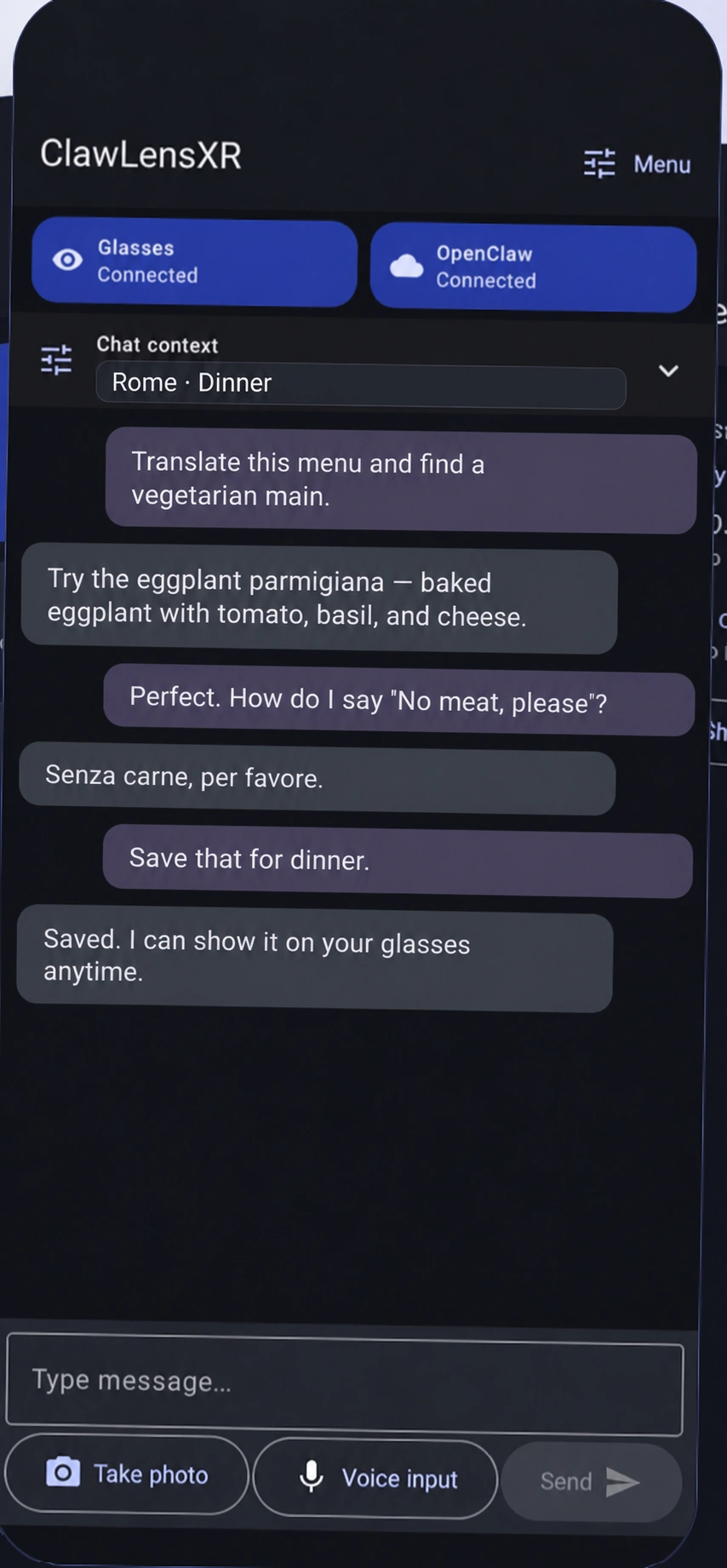
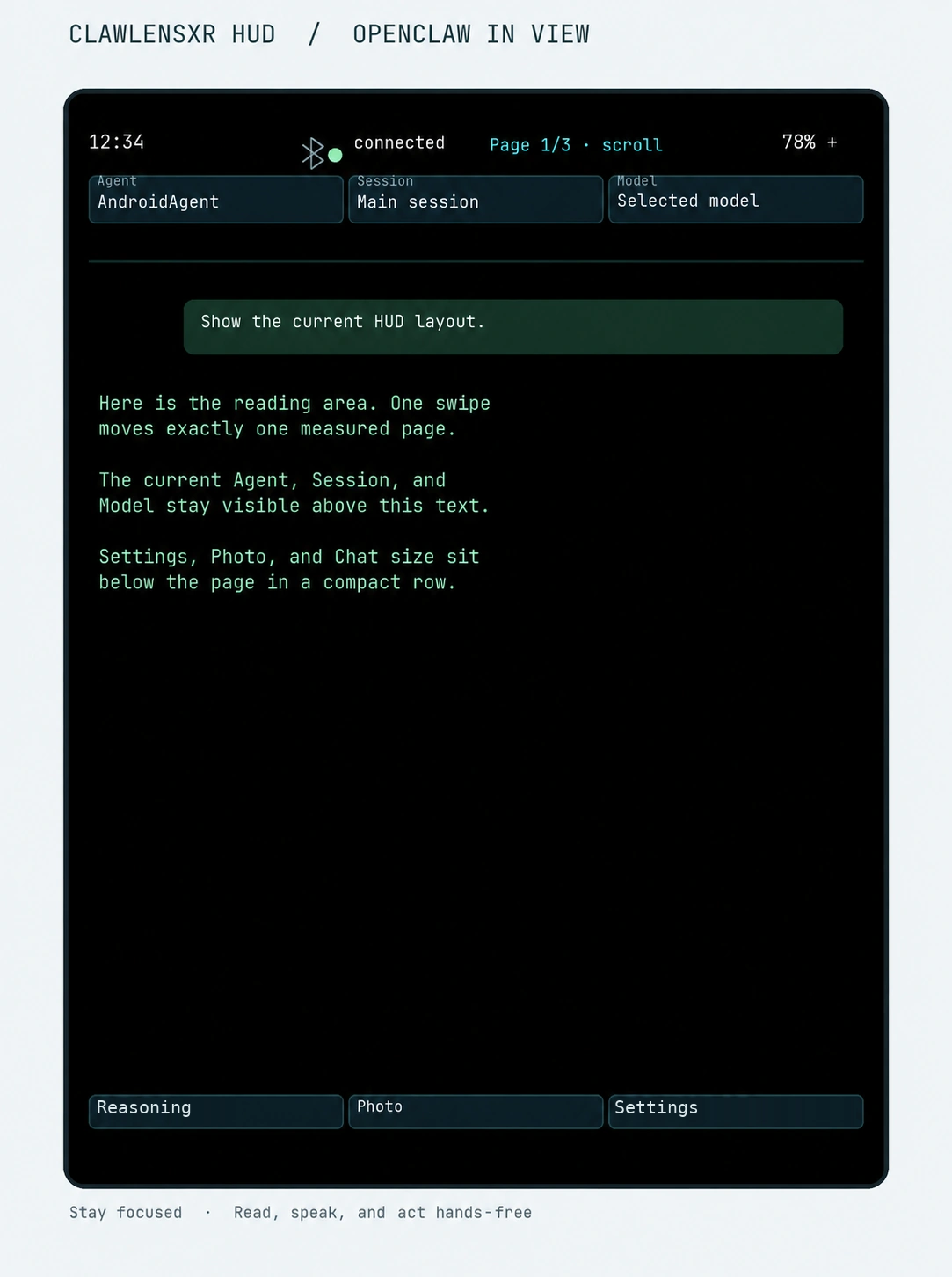
Long-press the glasses touchpad to speak, then read streamed replies on the heads-up display. Optional spoken responses let you listen, too.
Long-press the glasses touchpad to speak, then read streamed replies on the heads-up display. Optional spoken responses let you listen, too.
Capture a selected photo and choose to send it to the active assistant. Translate a restaurant menu, read a sign, or identify an object while the context is still in front of you.
Features depend on app version and backend.
AI and voice-provider costs are extra.
ClawLensXR — Your AI agents. Your smart glasses.
Connect your Android phone and compatible Rokid display glasses to your own OpenClaw Gateway—or a supported Hermes Agent API. Read replies, use voice input and share selected photos in supported versions.
Get the Android phone app

Phone app installation, website membership and glasses HUD installation are separate steps. Check the release notes for your installed version.
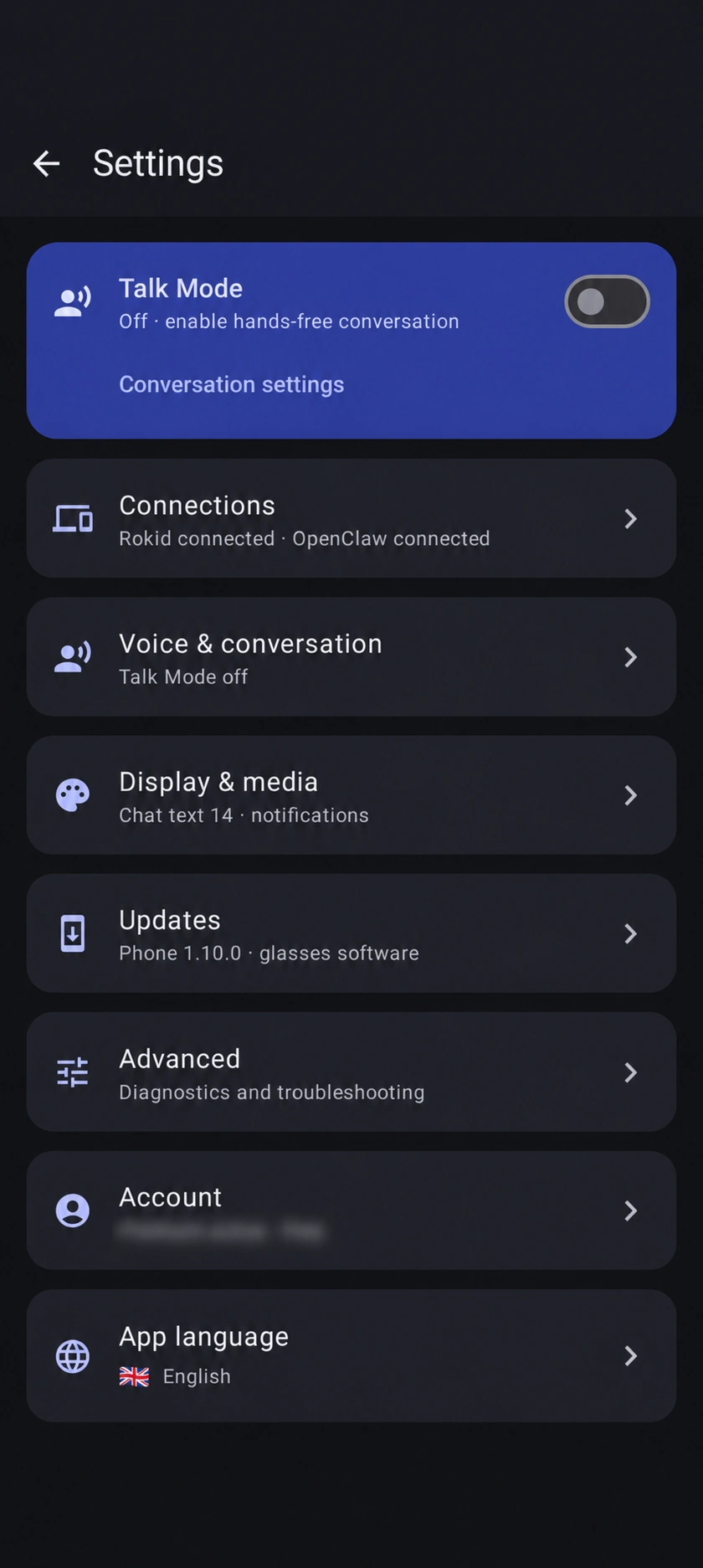
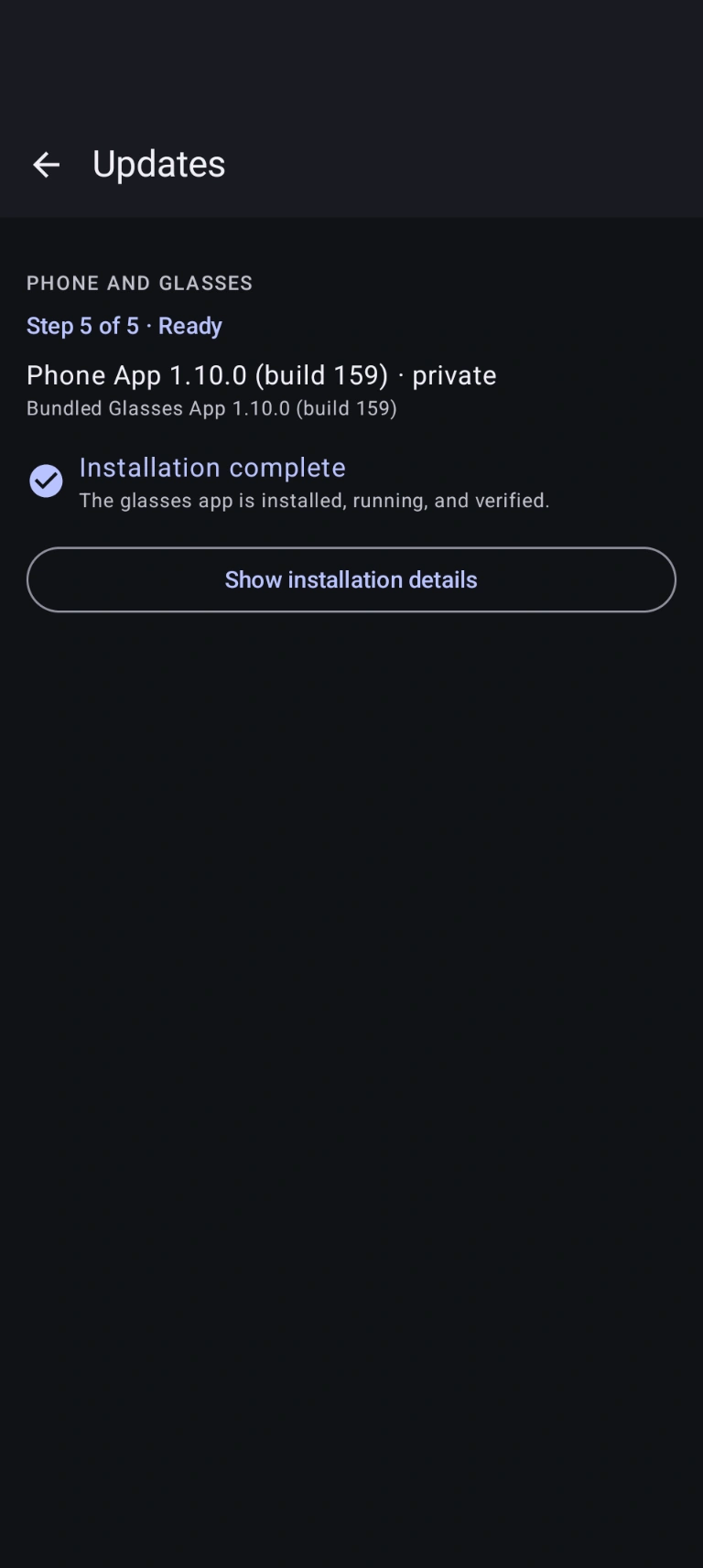
Example English screens: settings, fictional chat and an earlier Build 159 update. Your interface and version may differ.
wss://—not Funnel or public exposure.A conversation you can carry
A dedicated Phone/HUD experience with direct backend connections: OpenClaw, plus Hermes in versions with Hermes settings. No Lingzhu developer registration required.
Long-press the glasses touchpad to speak, then read streamed replies on the heads-up display. Optional spoken responses let you listen, too.
Capture a selected photo and choose to send it to the active assistant. Translate a restaurant menu, read a sign, or identify an object while the context is still in front of you.
Use OpenClaw sessions, agents and configured models. With Hermes, use supported sessions and model choices; select the profile and create sessions on your phone. The Hermes HUD follows that profile and browses existing sessions.
One connected experience
Connect your OpenClaw Gateway or configure Hermes in supported versions. Pair your glasses, set up voice services, and install or update the glasses companion.
Follow assistant replies on a compact portrait HUD, use touchpad gestures, speak naturally, and keep the phone in your pocket.
Useful when you want it
Show short spoken utterances on the HUD. Translation uses the OpenAI key you configure and may incur provider charges.
Choose OpenAI or ElevenLabs for text-to-speech, select a voice, and stop or replay the latest response.
Allowlist exact Android apps to show notification cards. Forwarding is off by default.
Say “Take a photo”, “Start video recording”, or “Stop video recording”. Selected photos can be sent to OpenClaw or Hermes. Video is limited to 60 seconds, stays in the glasses’ native storage for viewing in Hi Rokid, and is not uploaded or analyzed by ClawLensXR.
From setup to first conversation
OpenClaw: connect your private TLS Gateway and approve the device. Hermes: in versions with Hermes settings, enter your exact HTTPS/profile URL and Hermes API token, then Save and Use the connection. Dashboard sign-in is separate from API access.
User guide: HermesConnect compatible Rokid glasses from the Android app and install or update the glasses companion.
Speak or type, then read replies on your phone or glasses. With Hermes, choose your profile and create sessions on the phone; the HUD can browse existing sessions.
Know what you need
ClawLensXR is a companion, not a standalone AI service. Your phone supplies the connection between the glasses and the services you configure.
Compatibility depends on Rokid hardware, firmware, connection route, and app version. Contact support about compatibility before joining if you are unsure.
Choose how to start
Choose lifetime access or one of the recurring membership options below. Existing members can go directly to their account and available downloads.
Limited-time launch offer
€99 one time
Regular price €149 later
Pay once for a lifetime ClawLensXR membership with no recurring membership fee.
Limited-time launch offer
€3.99 / month
€3.99 per month, billed from signup.
Ongoing membership
€4.99 / month
Billed from signup. Renews monthly until cancelled.
Lifetime access is a one-time €99 payment during the launch offer (regular price €149 later), with no recurring membership fee. Recurring plans are billed from signup and renew until cancelled: €3.99/month for the launch offer or €4.99/month for the standard plan. Provider usage charges are separate. See the Subscription Terms.
Recorded app use and an illustrative HUD interface preview.
The phone segment is recorded app use. The HUD segment is an emulated app preview with sample content, not footage through glasses. Edited for presentation.
Questions before you start
No. Your Android phone supplies the backend connection, voice services and bridge to compatible glasses, whether you choose OpenClaw or supported Hermes features.
Compatibility depends on the Rokid model, firmware, connection route, and app version. Contact support before joining if your hardware has not been confirmed.
Yes, in installed versions that expose Hermes settings. Choose Hermes under AI providers, configure a supported HTTPS API/profile URL and Hermes API token, then Save and Use the connection. Hermes supports text, photos and transcribed speech; remote-audio uploads are not supported. Dashboard sign-in does not replace API credentials. Availability and features depend on your app version and server.
No. ClawLensXR connects to the backend and providers you configure. Hermes hosting/API access and AI or voice-provider charges are separate. Optional OpenAI and ElevenLabs features require your own credentials.
Yes. Typed chat remains available, and Android speech recognition can be used as a fallback when no OpenAI voice key is configured.
Not today. ClawLensXR currently requires Android. Apple support is coming soon.
Yes. Use Tailscale for private Gateway reachability together with a valid TLS endpoint and wss://. ClawLensXR does not require Tailscale Funnel or other public Gateway exposure.
The two recurring plans renew automatically at the interval shown at checkout until cancelled. You can cancel a recurring plan anytime from your member account. Lifetime is a one-time purchase with no renewal or scheduled expiry; access can end if the membership is revoked. The free Tester Plan expires after three months, does not renew and does not automatically charge you. Contact us to sign up for the Tester Plan; access is assigned manually. See the Subscription Terms for each offer’s conditions.
Sign in to your member account to access the releases currently available to your membership. The Android phone app installs or updates the glasses companion.
No. ClawLensXR provides its own Phone/HUD experience with direct OpenClaw or supported Hermes connections, without routing agent conversations through Lingzhu. ClawLensXR sign-in/licensing, backend authorization and required Rokid setup remain separate.
No. Direct connections remove the need for Lingzhu as an intermediary, not every cloud service. The AI and speech providers you choose may process data in the cloud under their own policies. Tailscale with a valid TLS endpoint lets you reach your Gateway privately without public exposure. Privacy depends on your backend, providers, and configuration.
Choose a membership option or sign in to access the releases available in your member account.