语音输入
长按眼镜触控板说话,回复实时滚动显示在抬头屏(HUD)上。也可开启语音回复,直接聆听。
 ClawLensXR
 中文
适用于 Rokid Glasses Display/HUD
连接你自己的 OpenClaw Gateway 或受支持的 Hermes Agent API。需要 Android 手机和你自己的后端服务。
需要 Android、兼容的 Rokid 显示眼镜及你自己的后端。OpenClaw 使用私密 TLS Gateway;Hermes Agent 需要受支持的 HTTPS API 和令牌。Hermes Agent 可用性取决于已安装版本。Apple 支持即将推出。
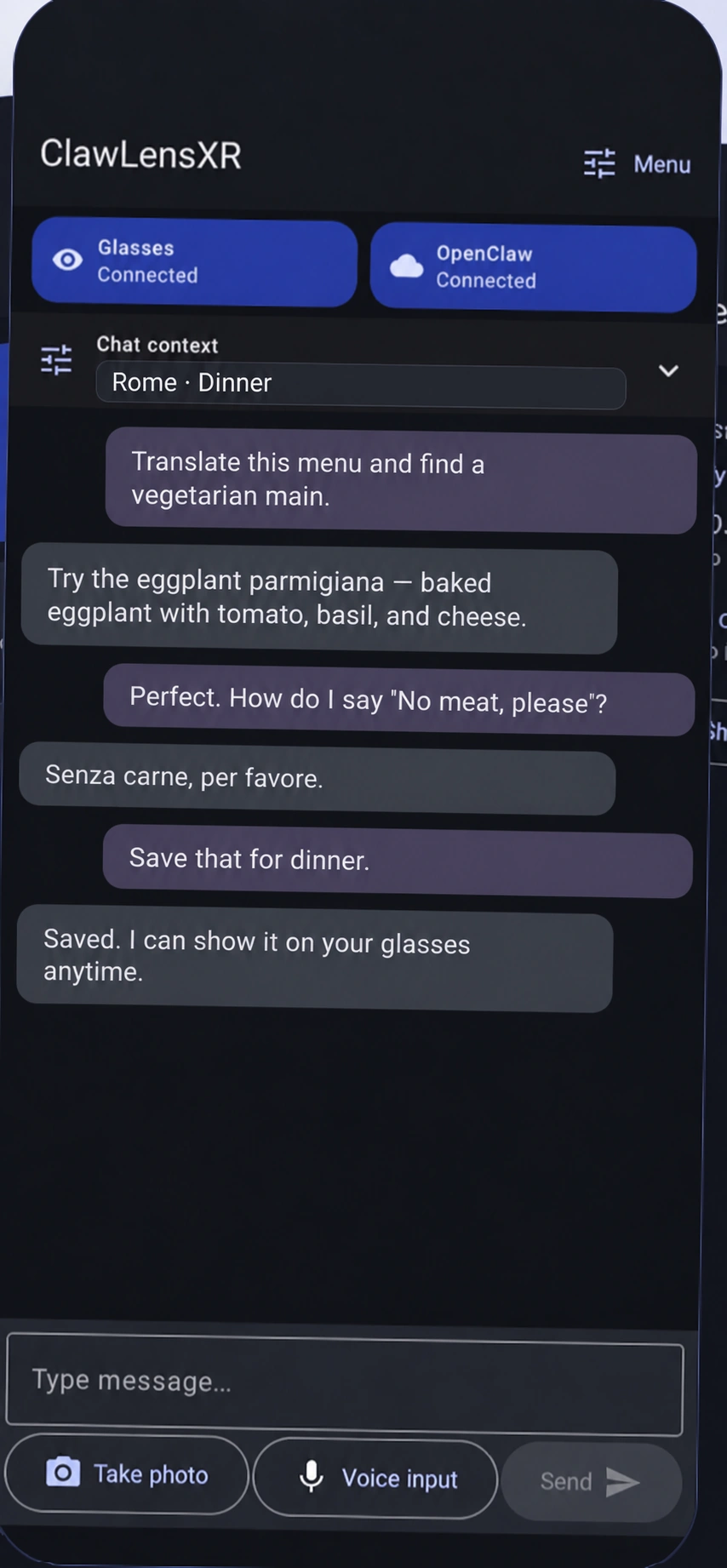
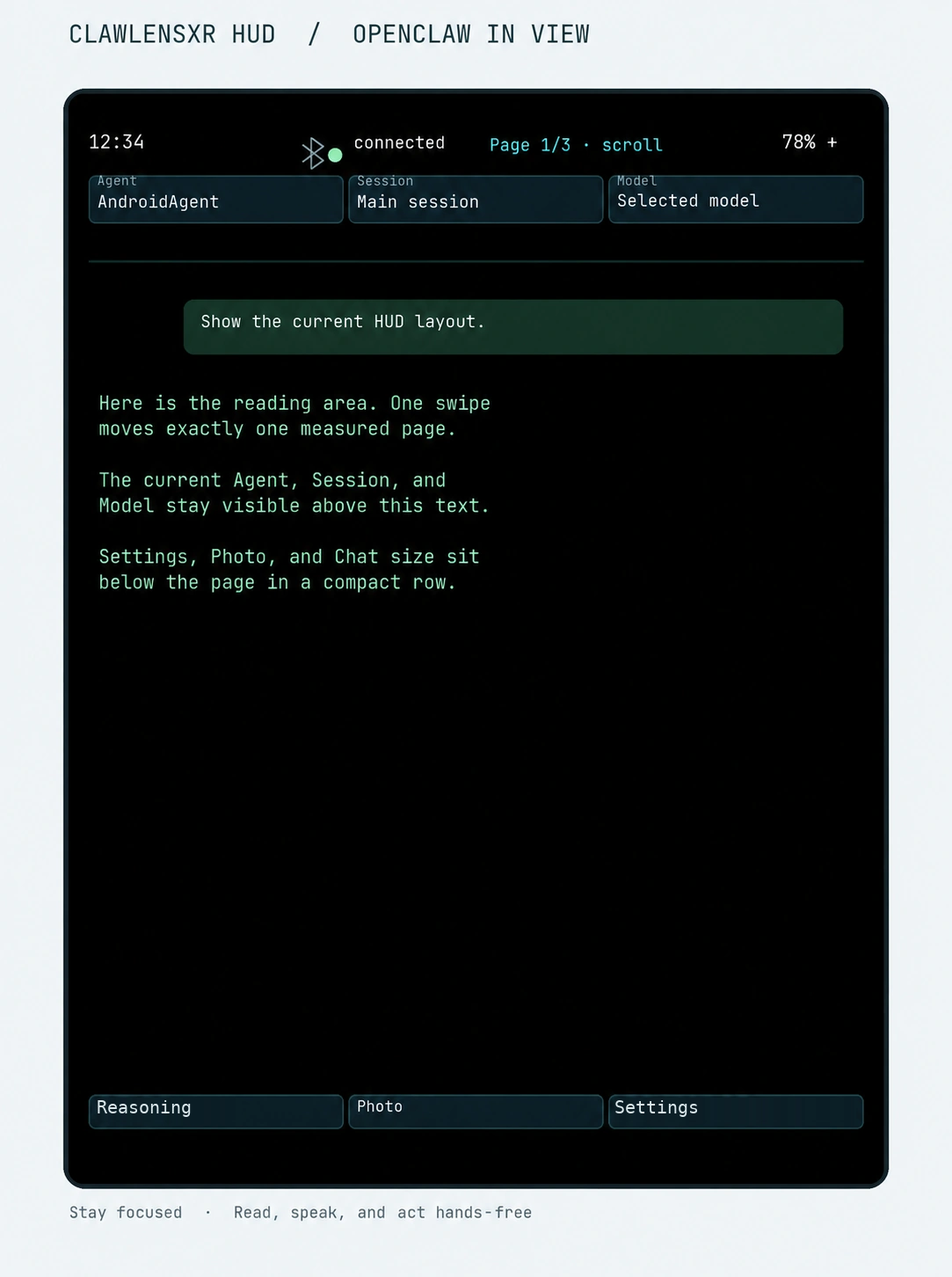
长按眼镜触控板说话,回复实时滚动显示在抬头屏(HUD)上。也可开启语音回复,直接聆听。
长按眼镜触控板说话,回复实时滚动显示在抬头屏(HUD)上。也可开启语音回复,直接聆听。
拍一张照片,可选择发给当前助手。趁信息还在眼前,翻译餐厅菜单、读懂标志或识别物体。
可用功能取决于应用版本和后端服务。
AI 和语音服务提供商的费用需另付。
ClawLensXR — 你的 AI 智能体。你的智能眼镜。
将 Android 手机和兼容的 Rokid 显示眼镜连接到你自己的 OpenClaw Gateway,或受支持的 Hermes Agent API。在支持的版本中阅读回复、使用语音输入并分享所选照片。
下载 Android 手机应用

手机应用安装、网站会员和眼镜 HUD 安装是不同步骤。请查看已安装版本的发布说明。
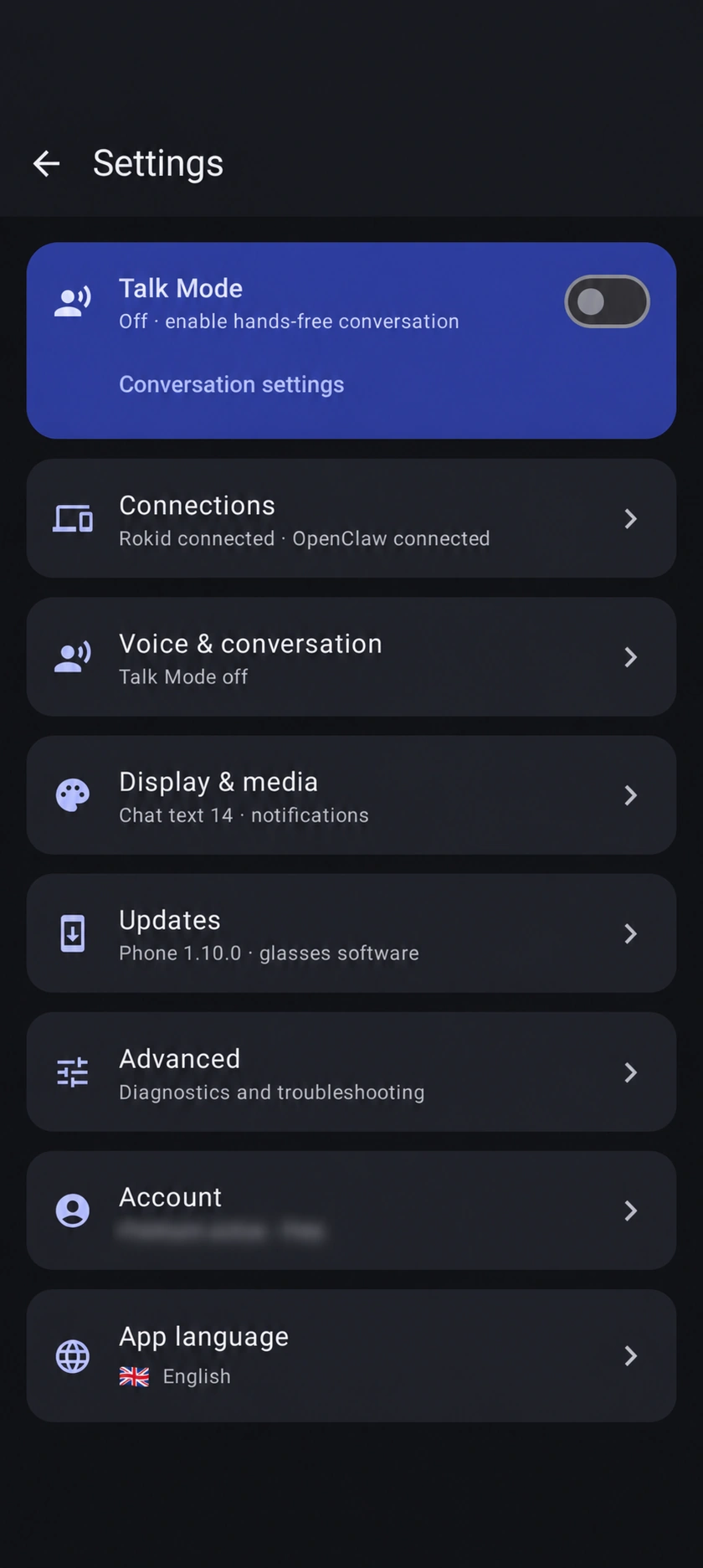
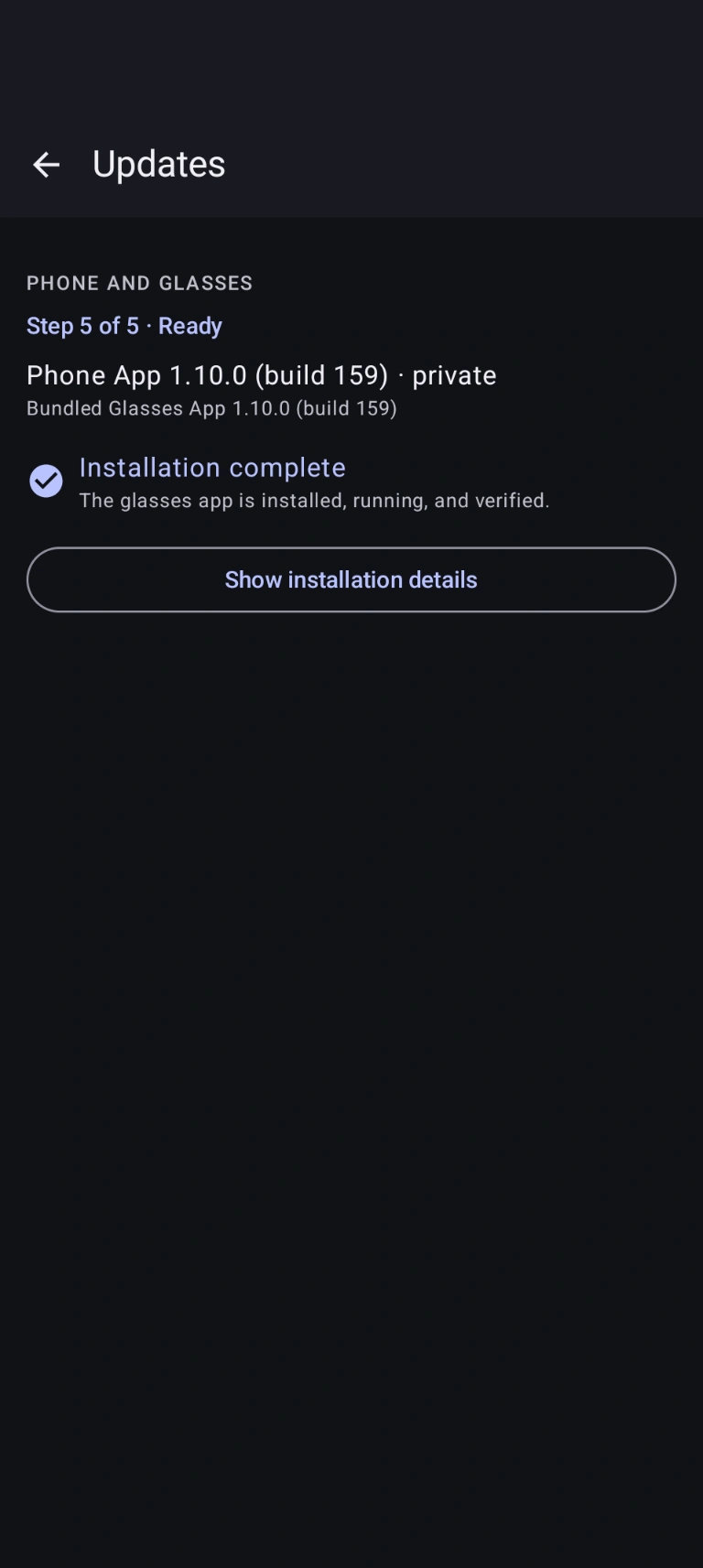
英文示例画面:设置、虚构聊天和较早的 Build 159 更新。实际界面与版本可能不同。
wss:// 的私密可访问性——无需 Funnel 或公开暴露。对话随身而行
自有手机/HUD 界面,直连后端:OpenClaw,以及带有 Hermes 设置的版本中的 Hermes。无需注册灵珠开发者账号。
长按眼镜触控板说话,回复实时滚动显示在抬头屏(HUD)上。也可开启语音回复,直接聆听。
拍一张照片,可选择发给当前助手。趁信息还在眼前,翻译餐厅菜单、读懂标志或识别物体。
使用 OpenClaw 会话、智能体和已配置模型。Hermes 提供受支持的会话与模型选项;在手机上选择配置档并创建会话,Hermes HUD 跟随该配置档,可浏览现有会话。
无缝互联的体验
连接 OpenClaw Gateway,或在支持的版本中配置 Hermes。配对眼镜、设置语音服务,并安装或更新眼镜端应用。
在紧凑的竖屏抬头屏(HUD)上阅读助手回复,使用触控板手势,自然开口对话,手机全程放回口袋。
需要时才用
在抬头屏(HUD)上显示简短语音内容。翻译使用你配置的 OpenAI 密钥,可能产生服务商费用。
选择 OpenAI 或 ElevenLabs 用于文本转语音,选择声音,并停止或重播最新回复。
将指定 Android 应用加入允许列表以显示通知卡片。默认不转发。
说 “拍照”, “开始录像”, 或 “停止录像”。所选照片可发送给 OpenClaw 或 Hermes。视频最长 60 秒,仅保存在眼镜原生存储中供 Hi Rokid 查看,ClawLensXR 不会上传或分析视频。
从设置到第一次对话
OpenClaw:连接私密 TLS Gateway 并批准设备。Hermes:在带有 Hermes 设置的版本中,输入完整准确的 HTTPS/配置档 URL 和 Hermes API 令牌,然后保存并使用该连接。仪表板登录与 API 访问相互独立。
用户指南: Hermes从 Android 应用连接兼容的 Rokid 眼镜,并安装或更新眼镜配套应用。
说话或输入文字,在手机或眼镜上阅读回复。Hermes 的配置档选择及新建会话在手机完成;HUD 可浏览现有会话。
了解所需条件
ClawLensXR 是伴侣应用,而非独立 AI 服务。你的手机在眼镜与你配置的服务之间提供连接。
兼容性取决于 Rokid 硬件、固件、连接方式和应用版本。如不确定,请联系支持确认兼容性,再加入。
选择开始方式
可选择终身权限,或以下周期性会员方案。现有会员可直接进入账户和可用下载。
限时首发优惠
€99 一次付费
之后常规价格 €149
一次付费即可获得 ClawLensXR 终身会员资格,无周期性会员费。
支付宝目前仅适用于终身优惠。
限时首发优惠
€3.99 / 月
每月 €3.99,注册时开始收费。
持续会员
€4.99 / 月
注册时开始收费,按月自动续订,直至取消。
终身权限在首发期间一次付费 €99(之后常规价格 €149),无周期性会员费。周期性方案从注册时开始收费,并自动续订直至取消:首发优惠每月 €3.99,标准方案每月 €4.99。第三方服务费用另计。请参阅订阅条款。
开始前的问题
不能。Android 手机负责后端连接、语音服务及兼容眼镜的桥接,OpenClaw 和受支持的 Hermes 功能均需要手机。
兼容性取决于 Rokid 型号、固件、连接方式和应用版本。如果你的硬件尚未确认,请在加入前联系支持。
可以,前提是已安装版本提供 Hermes 设置。在 AI 服务商中选择 Hermes,配置受支持的 HTTPS API/配置档 URL 和 Hermes API 令牌,然后保存并使用连接。Hermes 支持文字、照片与语音转写,不支持远程音频上传。仪表板登录不能代替 API 凭据。可用性与功能取决于应用版本及服务器。
不包含。ClawLensXR 连接你自己的后端和所配置的服务商。Hermes 托管/API 访问及 AI、语音费用另计。可选 OpenAI 和 ElevenLabs 功能需要你自己的凭据。
可以。文字聊天仍可使用,未配置 OpenAI 语音密钥时可使用 Android 语音识别作为后备。
目前不可用。ClawLensXR 当前需要 Android。Apple 支持即将推出。
可以。使用 Tailscale 结合有效 TLS 端点和 wss:// 实现私密 Gateway 可访问性。ClawLensXR 不需要 Tailscale Funnel 或其他公开 Gateway 暴露。
两种周期性会员方案会按结账时显示的周期自动续订,直至取消。你可随时通过会员账户取消周期性方案。终身方案为一次性购买,无需续订,也没有预设到期日;如会员资格被撤销,访问权限可能终止。免费测试者方案将在三个月后到期,不会续订,也不会自动扣费。如需申请测试者方案,请联系我们;访问权限由管理员手动分配。各方案的具体条件请参阅订阅条款。
登录会员账户,获取你的会员资格当前可用的版本。Android 手机应用可安装或更新眼镜配套应用。
不需要。ClawLensXR 提供自有手机/HUD 界面,直接连接 OpenClaw 或受支持的 Hermes,对话无需经过灵珠。ClawLensXR 登录/授权、后端授权及必要的 Rokid 设置仍是独立要求。
不是。直接连接意味着无需将灵珠作为中间平台,并不意味着完全不使用云服务。你选择的 AI 和语音服务商可能依据各自的政策在云端处理数据。通过 Tailscale 和有效的 TLS 端点,你可以私密访问 Gateway,无需将其公开暴露。隐私保护取决于你的后端、服务商及配置。
将此英文示例复制到运行 OpenClaw 的计算机上的助手中。它要求先检查;发布此示例并不代表已配置任何设备。
EXAMPLE PROMPT · English
Set up Tailscale access to the OpenClaw Gateway on this computer running OpenClaw so my existing ClawLensXR Android app can connect securely without an app update.

This is a native app connection, not a browser Control UI or necessarily an official OpenClaw node. Do not assume browser-only Tailscale authentication will authenticate the app.

    Inspect the active OpenClaw profile/service, Gateway port, authentication and existing Tailscale installation/Serve configuration. Consult installed documentation and CLI help; do not assume paths, ports or command syntax.
    Connect the Gateway host and Android phone to the same tailnet, with MagicDNS and HTTPS certificates enabled. Guide me through any required login or administrator approval privately; do not expose credentials or setup codes in chat.
    Keep the Gateway bound to loopback. Configure Tailscale Serve, not Funnel, to provide trusted HTTPS/WebSocket access through the host’s full *.ts.net hostname.
    Preserve existing Serve routes, sessions, authentication, pairing and other services. Inspect and merge configuration—do not reset or replace unrelated routes.
    Keep suitable Gateway authentication enabled for the native app. Do not rely solely on Tailscale browser identity headers, disable device authentication or weaken TLS verification.
    Verify tailnet access rules permit the phone to reach the selected Serve HTTPS port. Do not open router ports, expose the Gateway publicly or configure an exit node unnecessarily.
    Give me the exact app connection URL, normally wss://<gateway-full-hostname>.ts.net with the appropriate port/path. Use the certificate hostname, not the numerical Tailscale IP. Provide secure instructions for entering the required app authentication; never put tokens in URLs or chat.
    Help add a separate saved ClawLensXR connection without deleting the existing connection or changing its credentials. If pairing is required, correlate the phone’s fresh request and approve only that exact request with appropriate owner permission.
    Verify a fresh connection from the actual Android app: correct Gateway, successful authentication/pairing and stable initial requests. A successful ping, working browser dashboard or saved profile alone is not proof.
    Summarize the changes, exact connection URL, remaining blockers and rollback procedure.

Do not update OpenClaw, modify the Android app, reset pairing, rotate existing credentials, start voice recordings or send chat commands. Ask before installing missing software or making disruptive changes. Start with inspection.